

Parents do not entrust their child to a nursery. They entrust them to people. Yet most families only know one or two first names, caught in passing on a busy morning. A team page changes that: it gives every professional in your setting a face, a first name and a role, on a page you share with families through a single link.
What changes
Until now, introducing your team usually meant a poster in the hallway or a page in the welcome folder. Good idea, but quickly out of date. A new colleague arrives and the poster is wrong. Someone leaves and their photo stays up for months. And a family who rarely comes on site never sees it at all.
With the team page, you introduce your professionals once, properly, straight from your nursery software. Each professional has their own card: a photo, their first name, their role or qualification, and a short free bio. You can also group your team by room or by section, so every parent can see who looks after their child. The page carries your setting name and colours, works on mobile as well as on a computer, and appears in the language of your families.
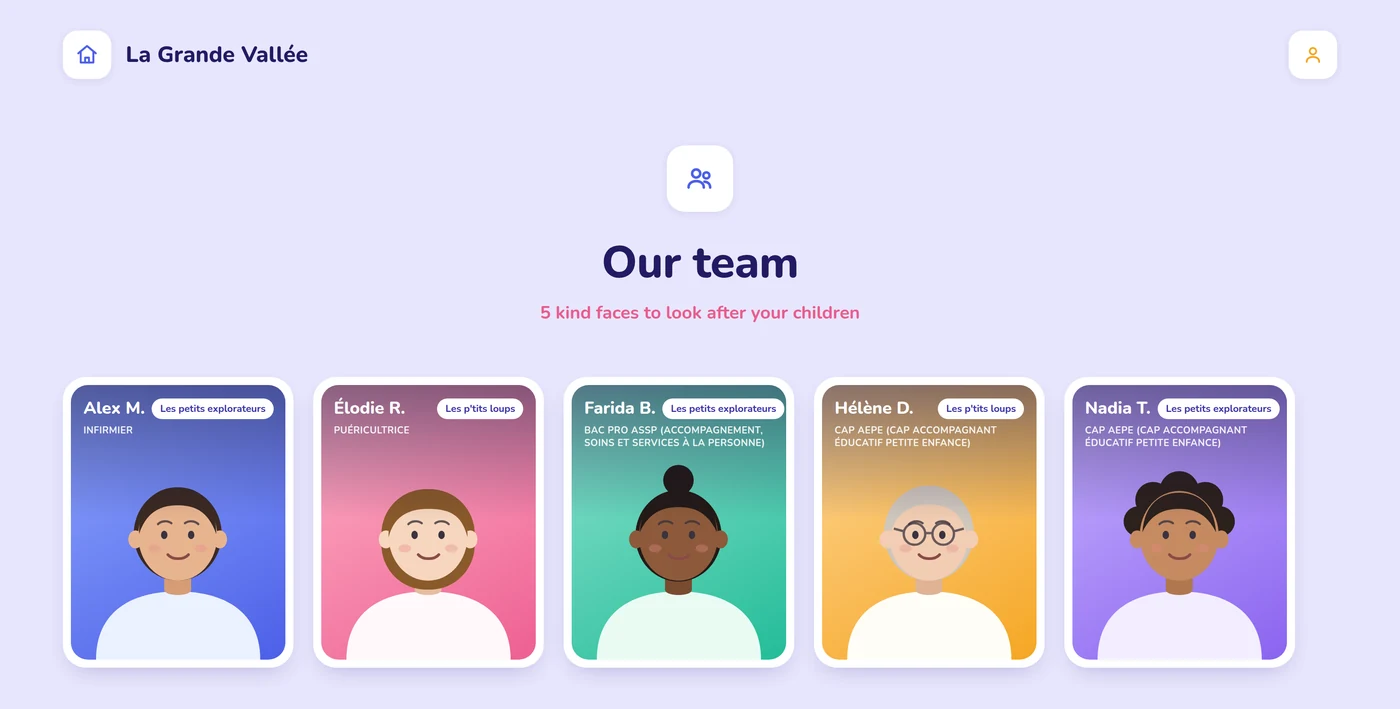
Best of all, it stays up to date on its own. You add or remove someone in your Kidola nursery software and the page follows.
A concrete example: before the first day
Little Lea is enrolled. Her first day is coming up, and her mum has that small knot in her stomach every parent knows: who am I leaving her with?
A few days before settling in, you share the link to your team page with families. That evening, quietly at home, Lea's mum discovers Élodie, your nursery nurse, Alexandre, the paediatric nurse, and the rest of the team. Faces, smiles, a few words about each of them.
She is not reading a list of qualifications. She is putting faces to the people who will look after her daughter. On settling-in day she arrives calmer, and so does Lea. That small connection did more than any set of house rules.
The benefits for your setting
- A calmer start. A parent who already knows the faces of the team approaches settling in with more confidence. And a child who senses their parents are at ease settles in more easily.
- Zero upkeep. No more poster to reprint every time the team changes. The page updates itself automatically from your nursery software.
- A team that is seen. Showing faces, training and a personal word recognises the place your professionals hold. A team that feels seen is a team that stays.
- A landmark for families. All year round, parents know who looks after their child: useful at handover, at meetings, or for a quick word in the corridor.
How do you turn it on?
- In your Kidola nursery software, go to the Menu, Employee section.
- Open Roles and access, then click Activate the team page.
- Fill in each profile: photo, role or qualification, and a short bio. All that is left is to share the link with your families.
Allow a few minutes per person. Once the page is live, it looks after itself.
In short
A parent at ease hands over their child more readily. And nothing reassures quite like a familiar face. The team page turns an intention many nurseries already have, introducing their professionals, into a simple tool that is always up to date and easy to share, fed by the nursery software you already use every day.
Discover Kidola in 30 minutesCurious to see what your setting team page would look like?DiscoverYour questions about the team page
Do parents see the whole team?
You decide who appears. You can show the entire team or only some professionals, and group them by section for clarity.
Do I have to update everything at every change?
No. The page syncs with your nursery software. An arrival or a departure recorded in Kidola carries over automatically, with nothing for you to do.
Are the photos and details protected?
The page is reached through a link you share with families. You keep control over its content and over who appears on it.
What language does the page appear in?
It adapts to the language of your families, a real plus for settings welcoming French, Dutch or German speaking parents.